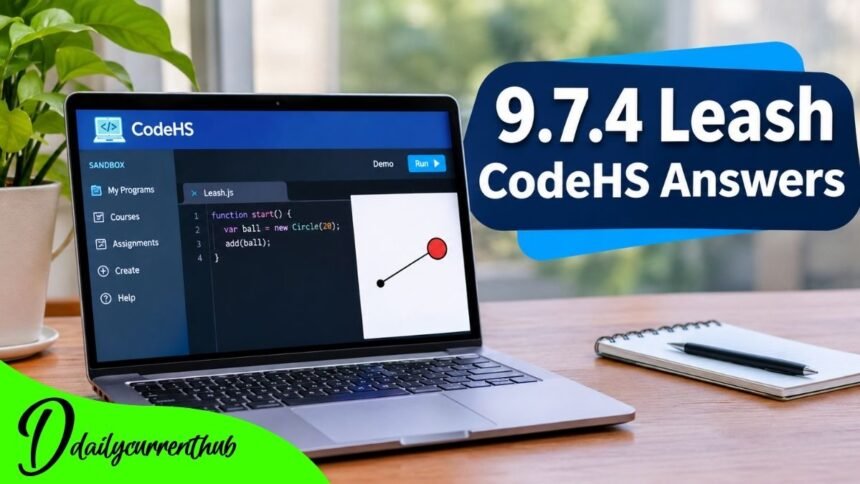
Students searching for 9.7.4 Leash CodeHS answers usually want to understand how to complete a JavaScript graphics exercise involving a moving ball and a line. Although the program looks simple, it introduces useful programming concepts that become increasingly important in animation and interactive game development.
The Leash exercise appears in the Drawing Lines lesson of the CodeHS Introduction to Computer Science in JavaScript curriculum. It combines graphical objects, mouse movement, event-handling functions, and coordinate positioning.
The central idea is to make a circle follow the mouse pointer while a line remains connected to the circle. One endpoint of the line stays fixed at the center of the canvas, while the opposite endpoint moves with the circle.
This article explains the solution, demonstrates the relevant JavaScript code, explores common mistakes, and provides practical troubleshooting guidance.
What Is 9.7.4 Leash in CodeHS?
The 9.7.4 Leash CodeHS exercise is part of a JavaScript programming lesson designed to develop students’ understanding of interactive graphics.
Unlike a traditional program that produces text output, this exercise works with visual objects displayed on a canvas.
A common version of the assignment involves creating a ball and connecting it to a fixed position with a straight line. When the user moves the mouse, the ball follows the pointer while the line updates its endpoint.
The effect resembles an object attached to a leash. The stationary endpoint represents the anchor, and the moving endpoint remains connected to the ball.
This program demonstrates how JavaScript can respond to user actions without continuously creating new graphics.
The public CodeHS curriculum confirms the exercise title and lesson placement. However, check assignment-specific requirements, including colors, dimensions, and grading conditions, directly in the student’s CodeHS editor.
9.7.4 Leash CodeHS Answers: JavaScript Example
The following example demonstrates the core solution using the documented CodeHS JavaScript graphics methods.
What Does This Code Do?
The program creates a circle and a line when it starts.
Both objects initially use the center of the graphics canvas. The line begins with identical starting and ending coordinates, meaning it initially has zero length.
The mouseMoveMethod() function registers an event handler that responds whenever the mouse moves over the canvas.
Each movement updates the circle’s position and the line’s ending coordinates.
As a result, the line appears to stretch and change direction while remaining attached to the moving ball.
Important: This is a functional example based on CodeHS graphics documentation, not a verified copy of the official exercise answer key. Any specific radius, color, naming, or other requirements shown in your assignment take priority.
Step-by-Step Explanation of the Leash Program
Step 1: Understanding Global Variables
The program begins by declaring three variables.
BALL_RADIUS controls the circle’s size, while ball and leashLine store references to the graphical objects.
These variables are declared outside the functions because both the initialization function and the mouse-event handler need access to the objects.
If the circle were declared only inside start(), the separate moveLeash() function would not have access to that local variable.
Using shared variables lets the program create graphics once and update them as needed.
Step 2: Finding the Center of the Canvas
The expressions getWidth() / 2 and getHeight() / 2 calculate the canvas center.
The first expression determines the horizontal position, while the second determines the vertical position.
For example, on a canvas measuring 400 pixels wide and 500 pixels high, the center would be at coordinates (200, 250).
Calculating the center dynamically avoids relying on fixed values that might not work for other canvas sizes.
This approach also makes the program easier to maintain.
Step 3: Creating the Line
The Line constructor accepts four coordinates representing its starting and ending points.
In this example, the line initially begins and ends at the center.
Once mouse movement begins, the program changes only the ending point.
The starting coordinates remain unchanged, creating the visual effect of a leash connected to a stationary anchor.
The add() command displays the line on the graphics canvas.
Step 4: Creating the Circle
The circle is created through the Circle constructor.
Its radius determines its size, while setPosition() determines the location of its center.
The example places the ball at the center of the canvas and sets it to yellow.
The circle is added after the line, so it appears visually above the line where the objects overlap.
This drawing order gives the connection a cleaner appearance.
Step 5: Registering Mouse Movement
The statement mouseMoveMethod(moveLeash); tells CodeHS which function should respond to mouse movement.
Notice that the function name is passed without parentheses.
Writing moveLeash() instead would attempt to call the function immediately rather than registering it as an event handler.
Whenever the mouse moves, CodeHS passes an event object containing information about the pointer’s position.
The program uses that information to update the graphical objects.
Step 6: Updating the Ball and Leash
Inside moveLeash(e), the methods e.getX() and e.getY() retrieve the mouse coordinates.
The program sends those values to two separate commands.
ball.setPosition(mouseX, mouseY) moves the ball to the pointer’s location.
leashLine.setEndpoint(mouseX, mouseY) moves the line’s ending point to the same position.
Because both updates use the same coordinates, the line stays visually connected to the ball’s center.
This relationship is the essential logic behind the Leash exercise.
Common Mistakes in 9.7.4 Leash CodeHS Answers
The Ball Does Not Move
A stationary ball often indicates that the mouse-event function was not registered correctly or that the callback cannot access the ball variable.
Check whether mouseMoveMethod(moveLeash); appears in the initialization function.
Also confirm that the event handler receives the event parameter and uses the correct coordinate methods.
JavaScript distinguishes between uppercase and lowercase characters, so method names must match the documented syntax.
The Line Does Not Follow the Ball
Sometimes the circle follows the pointer while the line stays in its original position.
This usually happens when the event handler updates the circle but does not update the line.
Both objects need to receive the same coordinates.
Using setEndpoint() is especially important because it changes the ending point while preserving the fixed anchor.
Multiple Circles Appear
Creating a new Circle object inside the mouse-movement function can produce additional graphical objects whenever the pointer moves.
That is unnecessary for this assignment.
Instead, create the circle once and store a reference to it.
Then use setPosition() to move the existing circle.
The same principle applies to the line. Reusing graphical objects makes the behavior easier to control.
The Entire Line Moves
The move() method shifts the entire line, including both endpoints.
That behavior does not match an anchored leash.
For this exercise, the starting point should remain stationary while the second endpoint changes.
The appropriate method is setEndpoint().
The Program Looks Correct but Does Not Pass
A visually correct program may still fail an assignment check if its implementation differs from the specified requirements.
Review the expected circle size, colors, starting positions, function names, and any starter code CodeHS supplies.
An example solution cannot guarantee full marks without the exact exercise instructions and grading checks.
How to Test the Leash Program
After entering the JavaScript code into the CodeHS editor, run the program and examine the canvas.
Initially, the ball should appear at the center.
Move the pointer toward the right side of the canvas. The ball should follow, and the line should extend from its original anchor toward the new ball position.
Next, move the mouse upward, downward, and diagonally.
The line should change direction and length while its starting point remains fixed.
Finally, move the pointer back toward the center. As the ball approaches the anchor, the visible line should become shorter.
If the behavior is incorrect, examine the event handler and verify that both graphics updates use the same mouse coordinates.
The line in this basic example is not restricted to a maximum length. Creating a physically limited leash would require additional distance calculations and movement constraints.
Why the Leash Exercise Matters for JavaScript Students
Understanding Event-Driven Programming
Event-driven programs respond to actions such as mouse movement, keyboard input, or button clicks.
The Leash exercise demonstrates this approach using a compact visual example.
Rather than running a loop to check the pointer position repeatedly, the program registers a function that CodeHS calls when a mouse movement event occurs.
This makes the relationship between user input and graphical behavior easier to understand.
Developing Coordinate Skills
Graphics programming depends on accurately positioning objects.
Students working through the Leash exercise learn how horizontal and vertical coordinates control movement.
They also discover why multiple graphical objects sometimes need to share the same position.
These concepts become useful when developing animations, drawing applications, and interactive games.
Learning to Update Existing Objects
A valuable programming habit is understanding when to create an object and when to modify an existing one.
The Leash exercise creates its graphical objects during initialization.
The mouse handler then changes their positions without repeatedly constructing new shapes.
Separating object creation from object updates helps keep programs understandable and prevents unnecessary graphics from accumulating.
Conclusion
The search for 9.7.4 leash code answers becomes much easier when students understand the relationship between a fixed line endpoint, a moving circle, and JavaScript mouse events.
The core solution relies on creating two graphical objects, registering a mouse-movement callback, and updating their coordinates whenever the pointer moves.
The circle and the line’s moving endpoint must receive matching coordinates, while the line’s starting point remains anchored.
Understanding these actions is more useful than memorizing a particular code sample because the same principles appear throughout interactive graphics programming.
Students should compare their work with the instructions supplied in their own CodeHS course, especially where specific visual properties or grading conditions are involved.
By mastering mouse events, coordinate positioning, object references, and line manipulation, learners develop practical skills that can support more advanced JavaScript graphics projects.
(FAQs)
1. What is 9.7.4 Leash in CodeHS?
It is a JavaScript graphics exercise listed under the Drawing Lines lesson in the CodeHS Introduction to Computer Science in JavaScript curriculum.
2. What is the main objective of the Leash exercise?
The commonly described objective is to make a circle follow the mouse while a line connects the moving circle to a fixed point on the canvas.
3. Which programming language is used for 9.7.4 Leash?
The exercise appears in a JavaScript course and uses CodeHS graphics functionality.
4. What does mouseMoveMethod() do?
It registers a callback function that runs when the mouse moves over the graphics canvas.
5. Why is setEndpoint() important in the solution?
The method changes the endpoint of a line without changing its start point, keeping the line anchored.
6. Why should the ball and line variables be declared outside start()?
Declaring them in a shared scope allows the initialization function and mouse-event handler to access the same graphical objects.
7. Why might my CodeHS Leash answer fail the grader?
Possible causes include incorrect coordinates, missing event registration, variable-scope errors, or differences between the submitted code and the assignment’s specific requirements.
8. Does the Leash exercise require a timer or continuous loop?
Not for the mouse-following behavior demonstrated here. The registered mouse-event handler performs the necessary updates whenever CodeHS reports mouse movement.